

How to Create a Master SOP for Entrepreneurs
A step-by-step framework for building the operational backbone of your business
Introduction
One of the biggest challenges entrepreneurs face is moving from working in the business to leading the business. When processes live only in your head, every decision, task, and question flows back to you. This creates bottlenecks, slows growth, and makes delegation difficult.
That’s where a Master Standard Operating Procedure (SOP) comes in.
A Master SOP is a comprehensive operational guide that documents the key processes, systems, and workflows that keep your business running smoothly. It acts as the central operating manual for your company, ensuring tasks are completed consistently, efficiently, and correctly—whether you're doing them yourself or delegating them to a team.
For entrepreneurs who want to scale, reduce chaos, and create sustainable operations, a Master SOP is one of the most powerful tools you can build.
Let’s walk through exactly how to create one.
Step 1: Define the Purpose and Scope
Before documenting processes, start by identifying why you're creating a Master SOP.
Purpose
Your purpose might include:
Improving operational efficiency
Creating consistency across tasks and deliverables
Making delegation easier
Preparing the business for growth or hiring
Reducing mistakes and miscommunication
For many entrepreneurs, the real goal is removing the business’s dependence on one person.
Scope
Next, determine what areas of the business your Master SOP will cover.
Most businesses include:
Operations
Marketing
Sales
Finance
Customer service
Human resources
Technology and systems
Defining the scope ensures the SOP becomes a complete operational framework, not just a collection of random instructions.
Step 2: Identify Core Business Functions
Every business operates through a handful of core functions. These functions form the structure of your Master SOP.
Common categories include:
Administration and Management
Leadership processes, strategic planning, scheduling, and internal communication.
Product or Service Delivery
How your product is created, delivered, or executed.
Marketing and Sales
Lead generation, marketing campaigns, content creation, and sales processes.
Customer Support
Client onboarding, support requests, issue resolution, and follow-ups.
Finance and Accounting
Invoicing, expense management, payroll, budgeting, and financial reporting.
Human Resources and Training
Hiring, onboarding, employee policies, and training procedures.
Technology and Systems Management
Software tools, automation systems, backups, and security protocols.
By defining these functions, you create clear operational categories that organize every process within your business.
Step 3: Map Out Key Processes
Once functions are identified, the next step is outlining the specific processes that drive each area of the business.
Think of processes as the repeatable actions that keep the business moving forward.
Example Processes
Marketing
Content creation
Social media scheduling
Campaign management
Lead generation
Finance
Invoice creation
Expense tracking
Budget monitoring
Payroll management
Operations
Order fulfillment
Quality control
Vendor management
Inventory tracking
One helpful approach is using process maps or flowcharts. These visual diagrams show how tasks move from start to finish, making workflows easier to understand and optimize.
This step helps you uncover inefficiencies and ensures that every important task is clearly documented.
Step 4: Document Each Process
Now it’s time to turn each process into a structured SOP.
Each SOP should include the following components:
Process Name
A clear, descriptive title such as “Client Onboarding Process” or “Monthly Financial Review.”
Objective
What the process is designed to accomplish.
Example:
Ensure every new client is onboarded consistently and receives all necessary materials before the project begins.
Responsible Roles
Identify who is responsible for completing or overseeing the process.
This could include:
Founder
Operations manager
Marketing coordinator
Customer support representative
Step-by-Step Instructions
Provide detailed, sequential instructions that explain exactly how the process should be executed.
Clarity is essential here—anyone reading the SOP should be able to follow it without additional explanation.
Tools and Resources
List the software, templates, or tools needed to complete the process.
Examples include:
CRM platforms
Project management software
Financial systems
Marketing automation tools
Quality Standards
Define the metrics or expectations that determine success.
For example:
Response time within 24 hours
Campaign approval before launch
Zero missing documentation during onboarding
Review Frequency
Specify how often the SOP should be reviewed and updated.
This keeps procedures aligned with changing business needs.
Step 5: Create a Standardized Template
Consistency is critical when building a Master SOP.
Using the same format across all procedures ensures that documents are easy to read, maintain, and follow.
A simple SOP template may include:
Title
Department
Objective
Procedure Steps
Tools and Resources
Responsible Role
Review Date
Standardization helps teams quickly understand any SOP without learning a new structure each time.
Step 6: Centralize and Organize Your SOPs
A Master SOP only works if it’s easy to access.
All procedures should be stored in a centralized system where team members can find them quickly.
Common storage options include:
Shared cloud drives such as Google Drive or Dropbox
Project management tools like ClickUp, Asana, or Notion
Dedicated SOP management platforms
Organize the documents by department or function so that users can easily navigate the system.
A well-structured SOP library becomes the operational knowledge base of your business.
Step 7: Train and Implement
Documentation alone isn’t enough. Your team needs to understand how to use the SOPs.
Implementation includes:
Hosting training sessions
Walking team members through processes
Encouraging questions and feedback
Integrating SOPs into onboarding for new hires
When SOPs become part of daily operations, they shift from being documents on a shelf to becoming the standard way work gets done.
Step 8: Review and Update Regularly
Businesses evolve, and your SOPs must evolve with them.
Set a schedule to review procedures regularly—typically quarterly or biannually.
Updates may be needed when:
New tools or software are introduced
Business processes change
Roles and responsibilities shift
Team feedback highlights inefficiencies
Keeping SOPs current ensures they remain valuable and accurate.
Step 9: Assign Ownership
Every SOP should have a designated process owner.
This person is responsible for:
Maintaining the document
Updating procedures
Monitoring performance metrics
Ensuring the process remains effective
Ownership creates accountability and prevents SOPs from becoming outdated.
Step 10: Build a Culture of Continuous Improvement
The most effective businesses treat SOPs as living documents rather than static manuals.
Encourage team members to suggest improvements whenever they discover:
Faster ways to complete tasks
Opportunities for automation
Ways to reduce errors
Methods to improve customer experience
When improvement becomes part of the culture, your operations naturally become more efficient and scalable over time.
Conclusion
A Master SOP is far more than a collection of instructions—it is the operational backbone of a scalable business.
By documenting critical processes, entrepreneurs can:
Streamline daily operations
Delegate tasks with confidence
Reduce mistakes and inefficiencies
Maintain consistency across teams
Build a foundation for long-term growth
The businesses that scale successfully are rarely the ones with the most ideas—they are the ones with the clearest systems.
Start documenting today, and over time your Master SOP will become one of the most valuable assets your business owns.
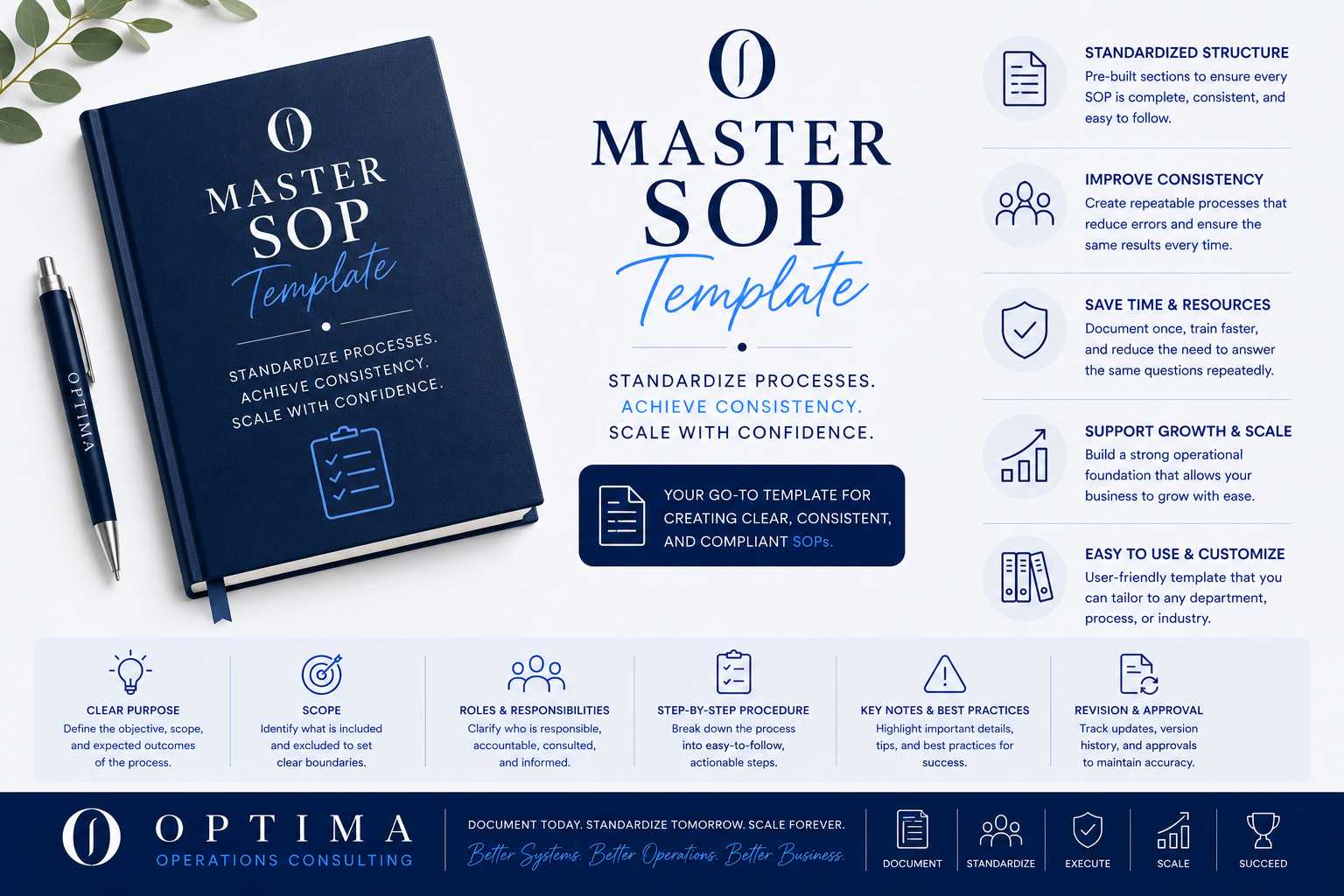
Build once. Run everything with clarity.
The Master SOP Template is a fully editable, business-ready framework designed to help you document any process in your organization, clearly, consistently, and professionally.
Whether you’re a founder, consultant, nonprofit leader, or growing team, this template gives you the structure you need to capture how work gets done so it can be followed, delegated, and repeated with confidence.
No more starting from a blank page. No more guessing what to include.
This is the system behind organized, scalable operations.
What’s Included:
Ready-to-use template
Instructions for use
How Delivery Works:
This is a digital product. After purchase, you’ll receive an instant template download.
Usage Terms:
Non-refundable
For personal or internal business use only
Redistribution is not permitted