

Publish "How to Turn Your SOPs Into AI Employees"
You already have processes in your business.
You answer the same questions. You create the same reports. You follow the same steps. You review the same information. You complete the same administrative work week after week.
The problem is that much of that process still lives in your head, or depends on you to execute it.
An SOP fixes the first problem.
An AI employee can help solve the second.
But there is an important step many business owners miss:
You should not start with AI. You should start with the process.
At Optima Operations Consulting, this is how I approach AI implementation:
Identify the repetitive work → Document the process → Build the SOP → Give AI the instructions → Automate where appropriate.
That is how you move from simply using AI to actually building AI into your business operations.
First: What Is an AI Employee?
When I use the term AI employee, I am not talking about replacing every person in your business.
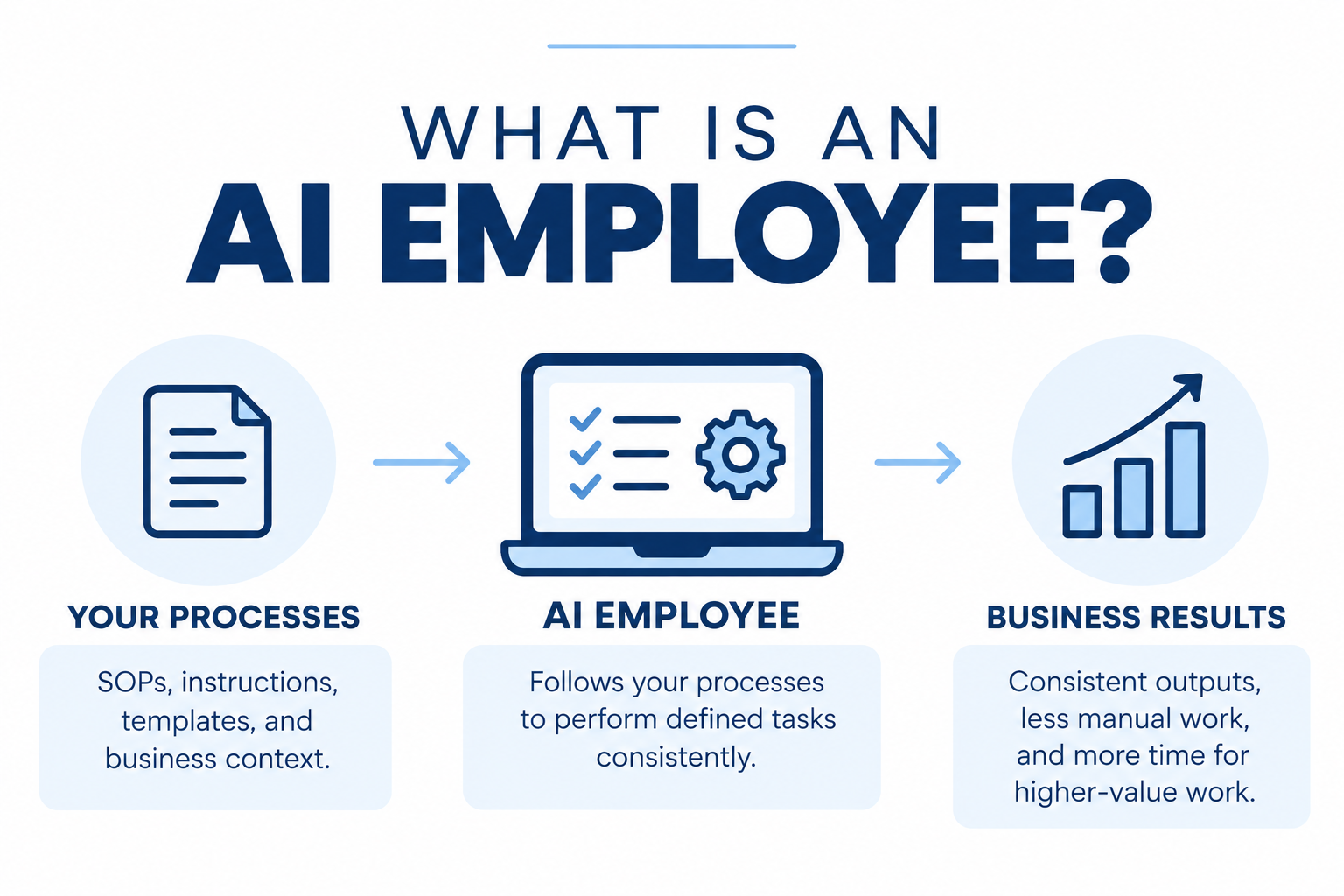
An AI employee is a structured AI system designed to perform a defined business role or set of repeatable tasks using your processes, instructions, standards, templates, and business context.
Think about the difference between these two prompts:
Prompt #1:
Write me a weekly business report.
Now compare that with an AI system that knows:
Which metrics need to be reviewed
Where the information comes from
How the metrics should be calculated
What thresholds should be flagged
How the report should be structured
Which trends matter
What recommendations it should provide
What requires human review
The second isn't simply asking AI a question.
You have given AI a process to follow.
That is the foundation of an AI employee.
Step 1: Find the Repetitive Work
Before building an AI employee, look at what you are already doing.
For the next week, pay attention every time you think:
“I do this all the time.”
Those are the tasks worth investigating.
Examples might include:
Creating weekly reports
Drafting recurring content
Reviewing business metrics
Organizing client information
Preparing meeting agendas
Creating project updates
Following up on leads
Reviewing expenses
Creating onboarding materials
Answering recurring customer questions
Turning meeting notes into action items
Creating job descriptions
Documenting processes
Not every repetitive task should be automated.
But repetitive, rules-based work is often a strong place to start.
Step 2: Document How You Actually Do It
This is where many businesses discover the real problem.
They know how to complete the task.
But the process isn't documented anywhere.
It exists in the owner's head.
If someone asked:
“How exactly do you do this?”
the answer might be:
"It depends."
"I just know what to look for."
"I've always done it this way."
"I'll show you."
That knowledge needs to become visible.
Document:
Trigger: What starts the process?
Inputs: What information is required?
Steps: What happens, and in what order?
Decision points: What changes depending on the situation?
Tools: Which systems are involved?
Output: What should exist when the process is complete?
Quality standards: What makes the result acceptable?
Escalation: When should a person become involved?
Now you have something AI can actually work from.
Step 3: Turn the Process Into an SOP
Documentation becomes much more useful when it becomes a standardized process.
Your SOP should tell someone, or AI, how the work gets completed consistently.
For example:
Instead of:
“Review weekly sales.”
Your SOP might say:
Pull sales data for the previous seven days.
Compare revenue against the weekly target.
Compare results against the previous four-week average.
Identify significant changes.
Review the current pipeline.
Flag opportunities requiring follow-up.
Generate the weekly sales summary using the approved format.
Identify anything requiring the owner's decision.
That is much easier for another person to follow.
It is also much easier to translate into AI instructions.
Your SOP becomes the operating logic behind the AI employee.
Step 4: Give the AI Employee a Defined Role
Now we move beyond individual prompts.
Your AI employee needs a clearly defined role.
For example:
Operations Manager AI Employee
Purpose:
Help the business owner monitor operations, identify bottlenecks, organize priorities, and maintain documented processes.
Responsibilities might include:
Review operational metrics
Create weekly summaries
Identify overdue actions
Review recurring workflows
Recommend processes that should be documented
Identify potential automation opportunities
Prepare operational meeting agendas
Maintain action lists
You can do the same thing for other areas of your business.
You might eventually have:
Bookkeeping AI Employee
Supports recurring bookkeeping workflows, financial organization, categorization review, and reporting preparation.
Content AI Employee
Turns approved strategy into content drafts using documented brand voice and content processes.
Sales AI Employee
Supports lead organization, follow-up preparation, pipeline reviews, and recurring sales workflows.
Operations AI Employee
Monitors processes, priorities, metrics, bottlenecks, and operational documentation.
The goal isn't to create dozens of AI employees.
The goal is to identify where repeat work is consuming your capacity and build systems around it.
Step 5: Give AI Your Business Context
This is one of the most important differences between generic AI and AI built around your business.
AI needs context.
That could include:
Your business vision
Mission
Values
Brand voice
Products and services
Customer profile
Organizational structure
Roles and responsibilities
SOPs
Templates
Policies
KPIs
Reporting formats
Decision criteria
This is also why I believe your business foundation needs to come before AI.
If your processes are unclear, AI inherits that ambiguity.
If your roles are unclear, AI doesn't know where its responsibilities stop.
If your brand voice isn't documented, AI creates its own interpretation.
If your metrics aren't defined, AI doesn't know what success means.
AI can amplify a strong operating system. It doesn't replace the need to build one.
Step 6: Define What AI Can, and Cannot, Do
An AI employee still needs boundaries.
For every workflow, determine:
AI can do this independently.
AI can prepare this, but I review it.
AI can analyze this, but I make the decision.
AI should not perform this task.
Human oversight remains especially important when work involves financial decisions, legal obligations, sensitive information, employee matters, strategic decisions, or anything where an incorrect output could materially affect the business.
Automation should reduce unnecessary work.
It should not remove necessary judgment.
Step 7: Connect the Workflow
Once the process works consistently, you can decide how far you want to automate it.
At the simplest level, your workflow might be:
Information → AI Employee → Human Review → Final Output
As you become more comfortable, it could become:
System → Automation → AI Employee → Review → System Update
Eventually, certain low-risk processes may require very little manual involvement.
But you don't need to start there.
Start simple. Test it. Review it. Improve it. Then automate more.
SOPs Are Becoming More Valuable,
Learn more here about “What is an AI Employee”